
Organizations
What this does
Creates and maintains the companies your logbook attributes hours to — airlines, operators, flight schools, manufacturers and owners.
Before you start
- A profile is open and you’re on the Directory, Orgs tab (→ E6).
- If you’re here to tidy near-duplicate companies, use Find Duplicates instead: it can merge and delete organizations (→ E10).
Steps
- On the Orgs tab, tap Add Org.
- Type the company’s Name — the only required field. Add a Website
(Optional), and tap the logo slot to add a picture.
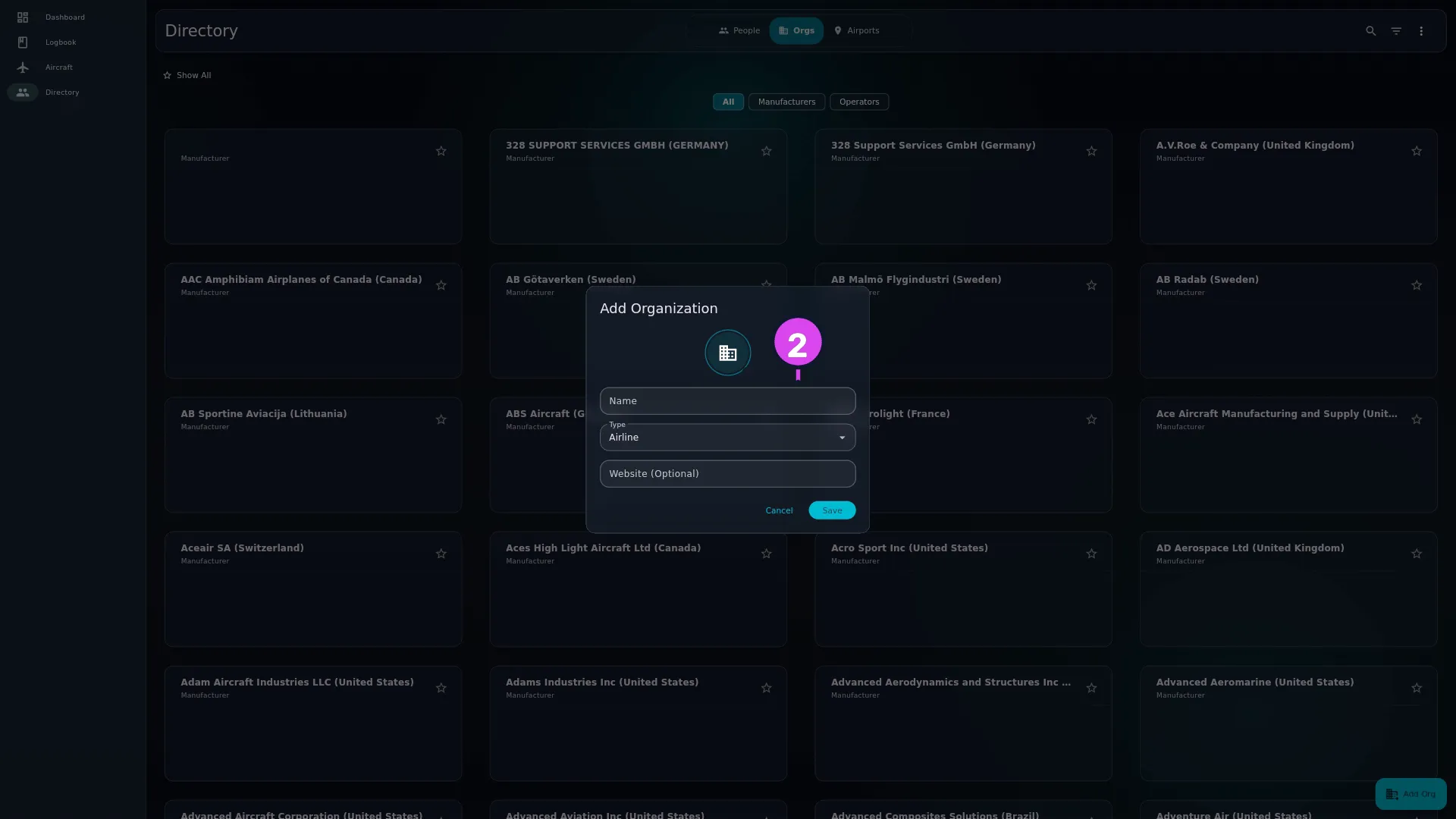
- Choose a Type. In order, the options are Airline, Operator,
Flight School, Corporate, Military, Government, Club,
Manufacturer, Owner, Reviewer and Employer. An organization is any company in
the logbook, and they all live in one list doing four different jobs (see
One list, four jobs below). Type is what tells them apart.
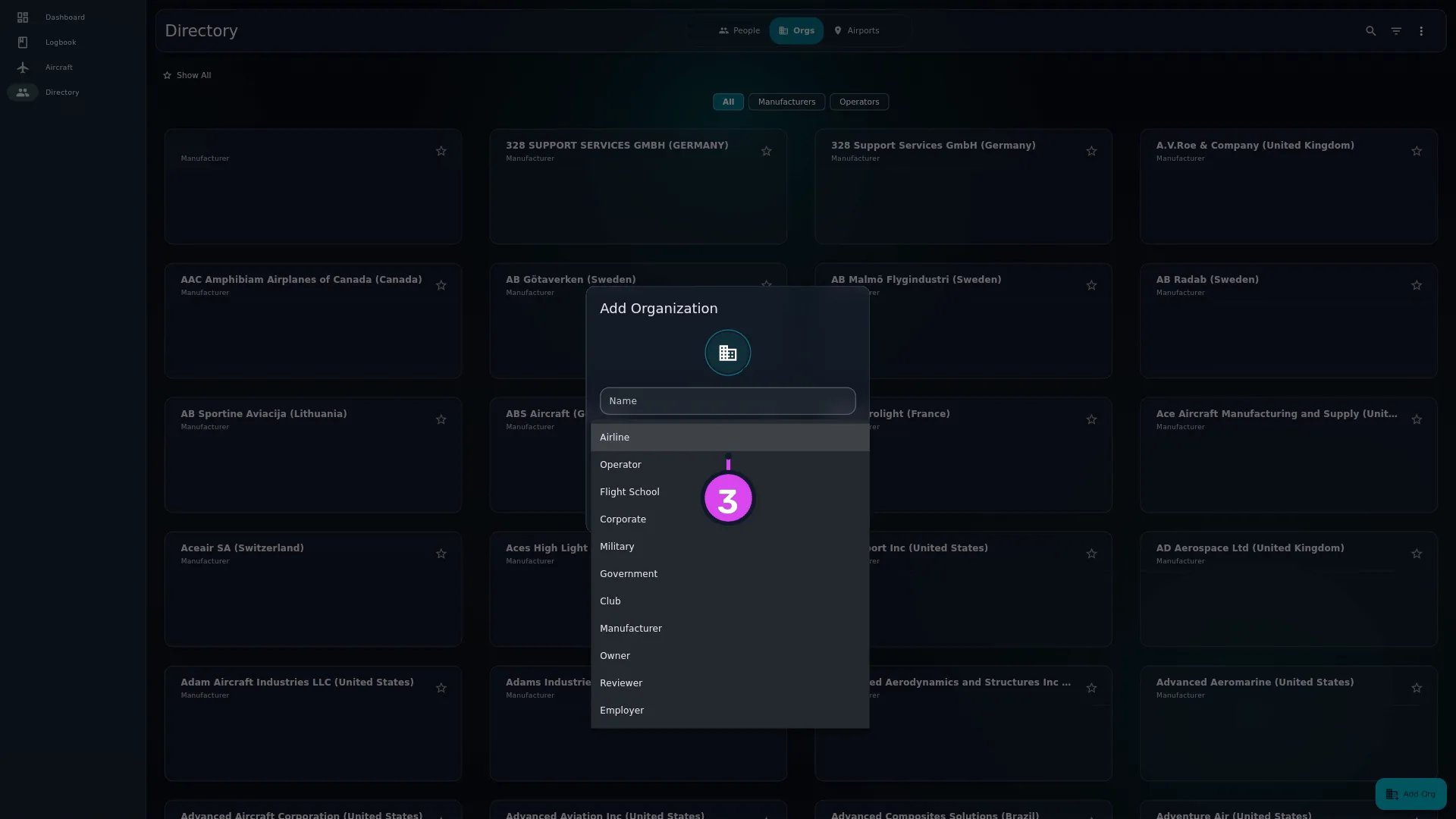
- Tap Save.
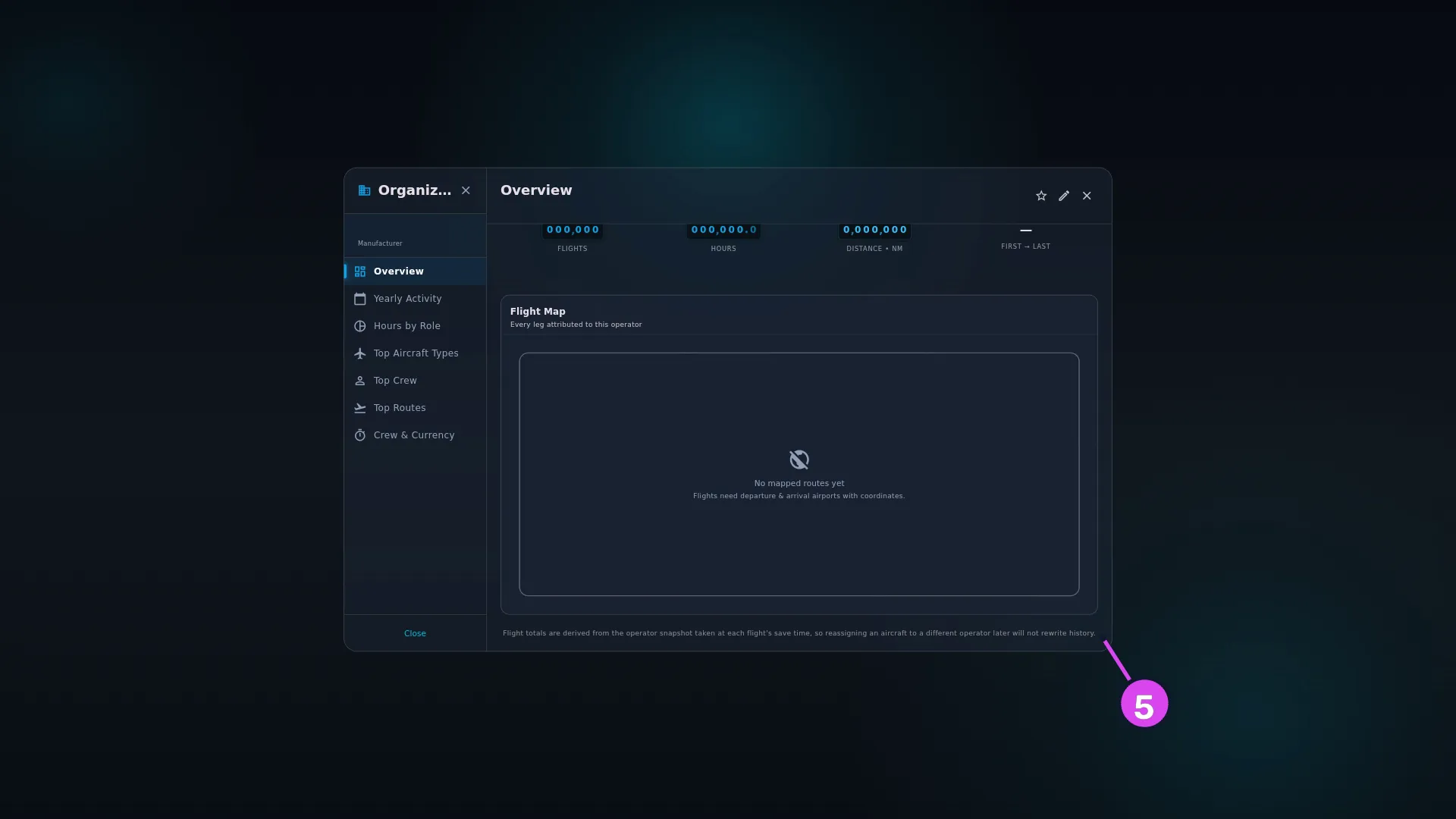
- Tap the card to open the detail screen, headed Organization, with the
sections Overview, Yearly Activity, Hours by Role, Top Aircraft
Types, Top Crew, Top Routes and Crew & Currency. Where the
company has airline codes, they print under the name as IATA … · ICAO ….
A note at the foot of Overview says how its totals are counted (→ Why
reassigning an aircraft does not move old hours, below).
- To narrow the list, tap the chips above it — All, Manufacturers, Operators — or Filter & sort. Its sheet is titled Filter Organizations, with the sections SORT BY, TYPE and FILTER, and the sorts Name A–Z, Type and Favorites First.
How to tell it worked
The organization is in the Orgs list with its type beneath the name, and it’s offered when you set an aircraft’s Operator or Owner (→ E2) or somebody’s employer (→ E7).
If something goes wrong
| What you see | Why | What to do |
|---|---|---|
| Required under Name | The field is empty | Type a name |
| Duplicate Organization — An organization named ”…” already exists. | The name matches one you already have, ignoring case | Tap Continue Editing and change it. Discard Entry is only offered when you opened the form from a quarantined import entry |
| No Delete on the organization’s screen | Delete is only in the edit form | Tap Edit, then Delete at the bottom of the modal |
| Cannot Delete Organization | At least one aircraft, flight, aircraft type or employment record still points at it | Tap Understood. Use Find Duplicates to merge it into another organization first (→ E10) |
| The company isn’t where you expect it in an aircraft’s Operator or Owner picker | Those pickers put the types that suit the field first rather than hiding the others, and they show at most twenty matches | Keep typing. The picker matches any part of the name, or an exact IATA or ICAO code, and you can pick any organization whatever its type |
| An employment card reads Unknown Organization | The company it named has been deleted | Create it again and choose it on the employment record (→ E7) |
| Hours didn’t move to the new operator after you reassigned an aircraft | Past flights keep the operator they were logged with — see below | Nothing |
| A company shows no hours at all | Its aircraft have the operator typed in as text, not linked to the organization | Look for the amber Needs linking chip in the Hangar and tap it (→ E1) |
One list, four jobs
| The organization is used as | Set on | Covered in |
|---|---|---|
| Operator — who the flying is attributed to | An aircraft | E2 |
| Owner — who holds title | An aircraft | E2 |
| Employer | A person’s employment record | E7 |
| Manufacturer | An aircraft type | E3 |
One company can hold more than one of those jobs at once. A flight school is often the operator of its aircraft and the employer of its instructors, and one record covers both.
Why reassigning an aircraft does not move old hours
The organization screen states the rule itself: Flight totals are derived from the operator snapshot taken at each flight’s save time, so reassigning an aircraft to a different operator later will not rewrite history.
It’s the opposite of how an aircraft type edit behaves. Why, and what to do when a past operator really is wrong, is in E3.
Deleting a referenced organization
There’s no delete control on the organization’s own screen: tap Edit, then Delete at the bottom of the modal. If the organization is still an aircraft’s operator or owner, the operator or owner saved on a flight, an aircraft type’s manufacturer, or named on an employment record, the delete is refused: Cannot Delete Organization / [Name] is still referenced by [counts]. Use Find Duplicates to merge it into another record before deleting it. / Understood. Merge it into the record you want to keep instead (→ E10); the merge moves everything that points at it.