
The Directory
What this does
Explains the Directory: three tabs holding the people, companies and airports your flights point at, and your own record among them.
Before you start
- A profile is open. The Directory belongs to the logbook, so each profile has its own.
- Nothing in the Directory is Pro-only. Every feature described here works on a free logbook.
- The Directory isn’t a contacts app. Your flights are attached to these records, so editing one changes what your logbook says about those flights.
Steps
- Tap Directory in the navigation. It opens on the People tab; the other
two are Orgs and Airports. (Only the tab name is shortened — the
screens behind it aren’t.)
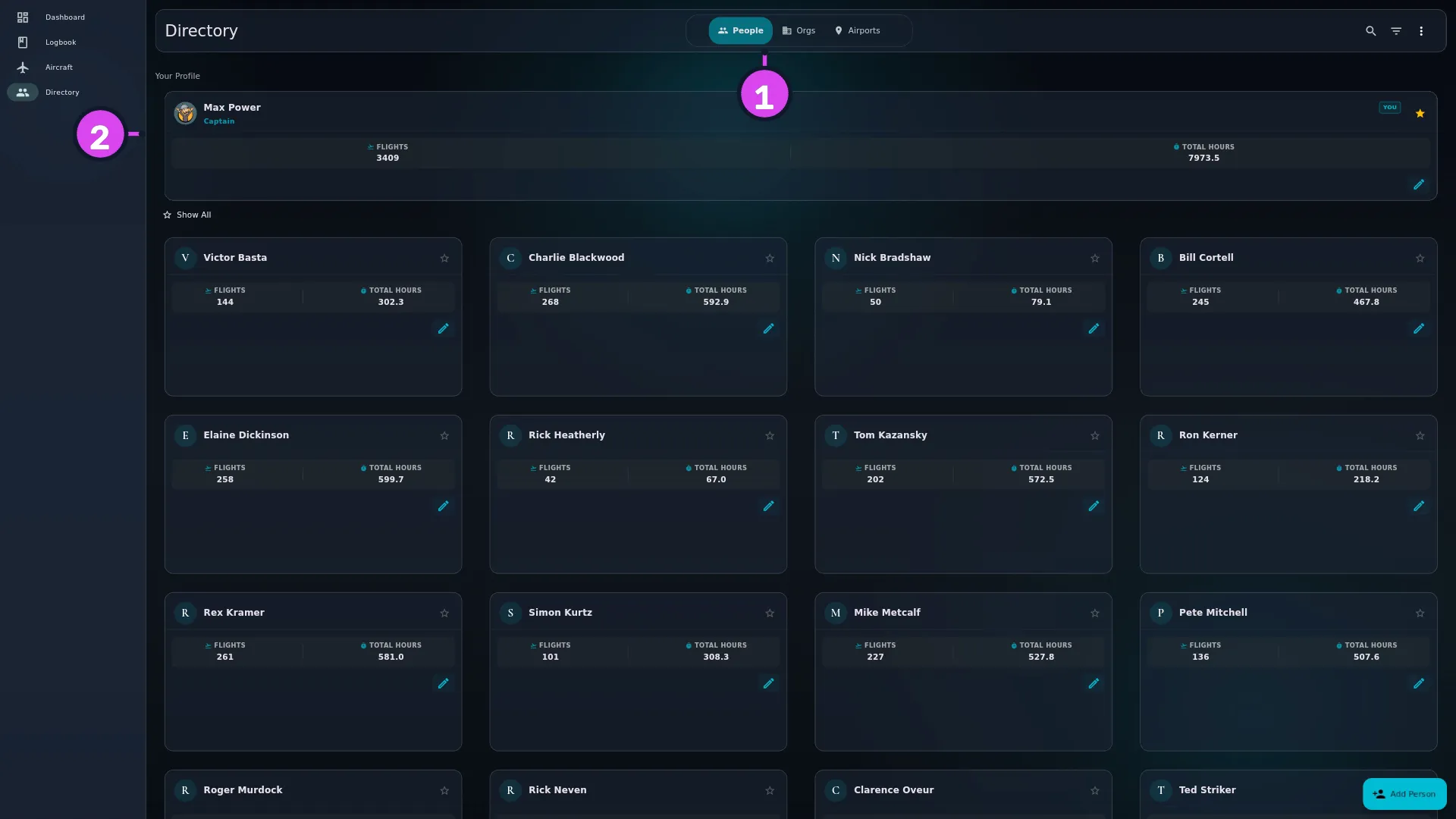
1 the tab pill2 Your Profile - Find Your Profile, pinned above everything else at the top of the People list, with its card badged YOU. That’s your own Directory record, and it’s where you edit your name and licence number (→ A9). You’re not repeated in the list below it.
- Tap a card to open a record. People and organizations open a full detail screen; airports open a detail panel (→ E7, E8, E9).
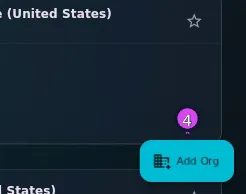
- Tap the + button, bottom right, to add to the tab you’re on. Its label
follows the tab: Add Person, Add Org or Add Airport.
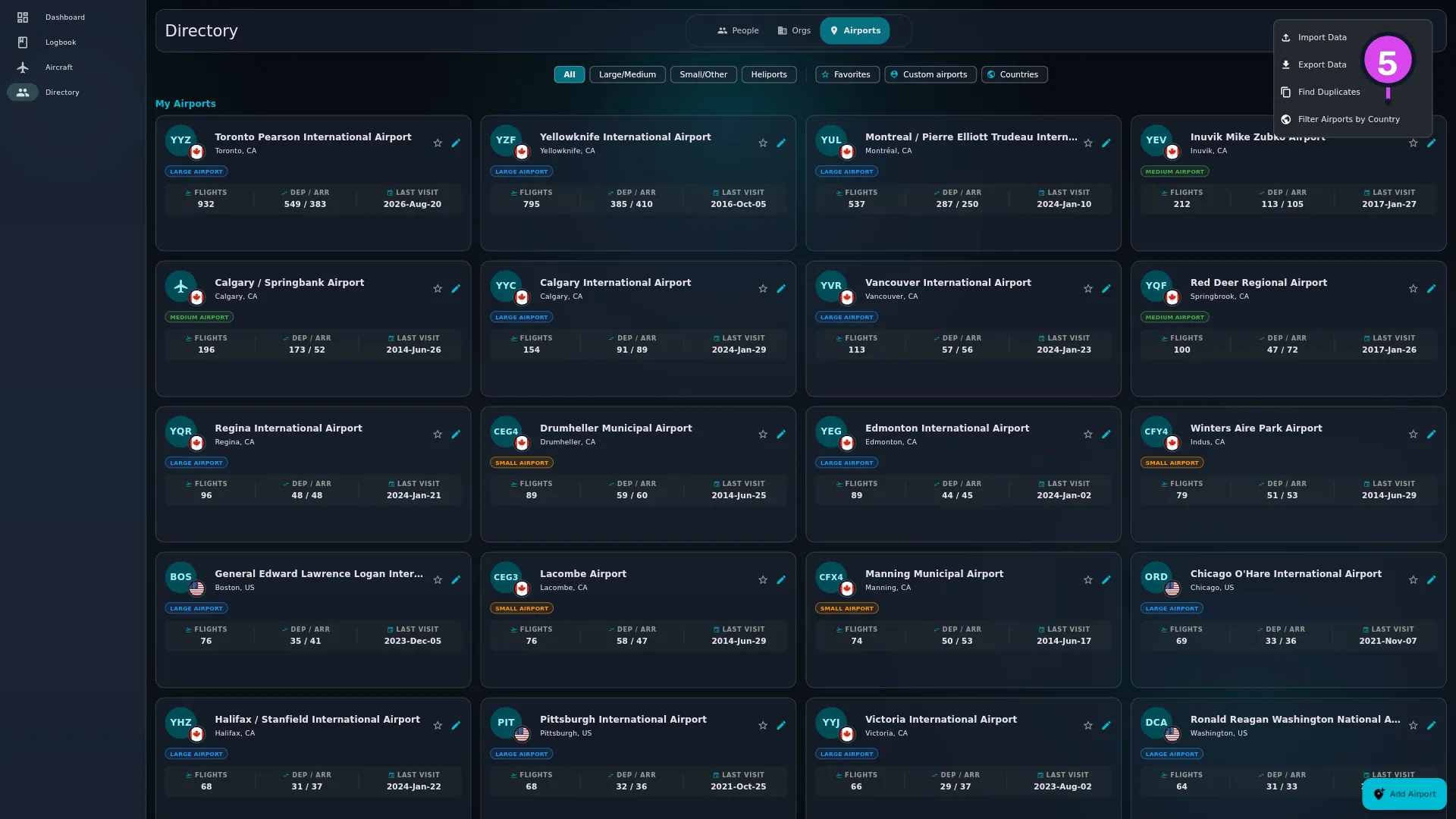
- Tap More Actions ⋮ in the header for Import Data (→ B2) and Find
Duplicates (→ E10). On the Airports tab a third
item appears, Filter Airports by Country (→ E9).
- To narrow the tab you’re on, use Search — the hint reads Search Directory… — and Filter & sort. Each tab keeps its own filters.
How to tell it worked
You’re on a screen headed Directory with one of People, Orgs or Airports selected, and the + button names what it’s going to add.
If something goes wrong
| What you see | Why | What to do |
|---|---|---|
| No people found. Add one to get started. | The People tab is empty, or a search is matching nothing | Add somebody, or clear the search |
| No organizations found. / No airports found | The same, on the other two tabs | Add one, or clear the search. The Airports tab is never truly empty — a filter is hiding the catalogue (→ E9) |
| A banner reading People filters applied. Some people may be hidden. | There’s a filter running on that tab. The other two read Organization filters applied. Some orgs may be hidden. and Airport filters applied. Some airports may be hidden. | Clear it from the banner |
| The header buttons have disappeared | The search field is open, and the whole action row hides while it is | Tap Close search |
| A modal headed Person Details opens by itself after you add somebody | Normal. Adding a person opens that person straight away | Use it, or close it (→ E7) |
| You can’t find a Delete on your own record | You can’t delete yourself, so there’s no control for it | Nothing |
What editing here changes elsewhere
- Renaming a person renames them on every flight they crewed. Flights point at the person; they don’t keep their own copy of the name.
- Deleting an organization is checked. It’s refused while an aircraft, a flight snapshot, an aircraft type or an employment record still points at it — merge it into the record you’re keeping instead (→ E8).
- Editing an airport’s coordinates recalculates the distance of every leg through it (→ E9).
None of this is a reason to avoid editing. It’s a reason to fix a record rather than create a second one beside it.