
Your pilot identity
What this does
Fills in the details about you that the app prints on exports and uses to work out how long your medical is valid for.
Before you start
- A profile is open. These details belong to the logbook, so they travel with it to your other devices.
- None of it is required to log flights. It’s required for exports that say who you are.
Steps
- On the dashboard, tap your own profile card at the top. Profile Settings
opens, and the block at the top is you: picture, name, greeting, title and
licence number, plus your email once you set one. On a new profile it’s mostly
the picture and the name — each line appears only when it has something in it.
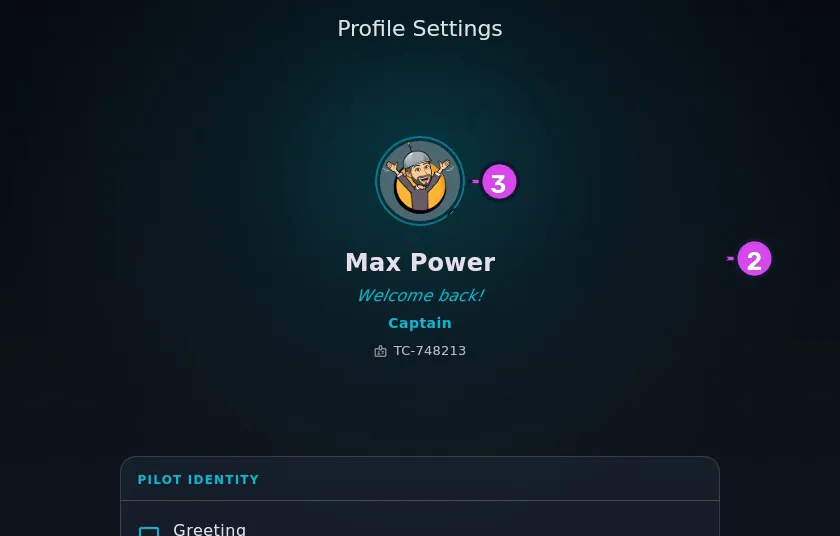
2 the block3 the avatar - To set your name, licence number, title or email: tap that block. Your own Directory record opens; tap the pencil to edit it. Only Last Name has to be filled in (the full field list is below). Tap Save.
- To change your picture: tap the picture itself, not the block around it, then choose Take photo or Choose image…. It’s the same picture as on your Directory record.
- Below that block, in the PILOT IDENTITY section, tap Greeting to set
the line that sits under your name. Type it and tap Save. Left blank —
the field says Leave blank for a random greeting each day, and the row
reads Random greeting each day — the app picks a different line from its
own list every day. To go back to that, clear the field and tap Save.
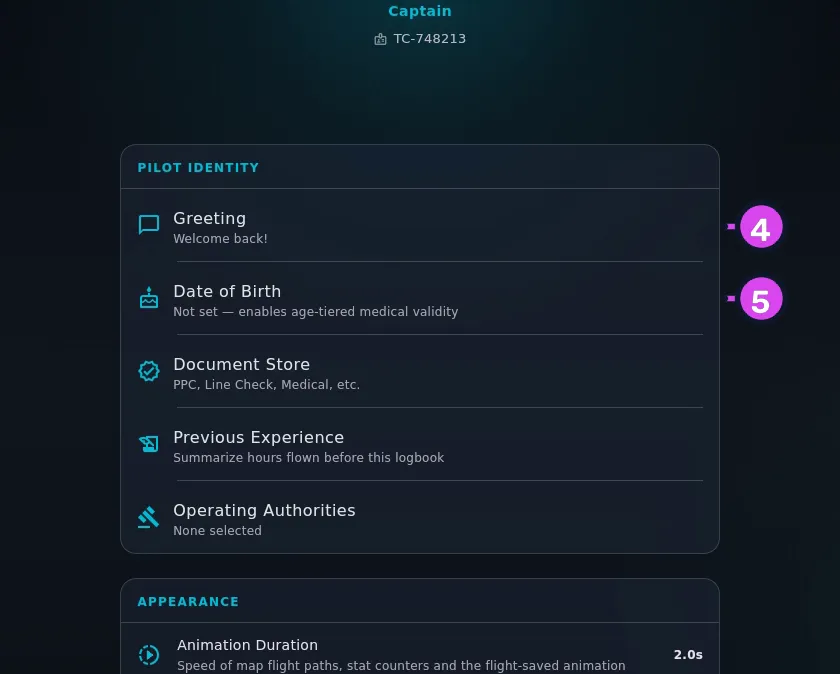
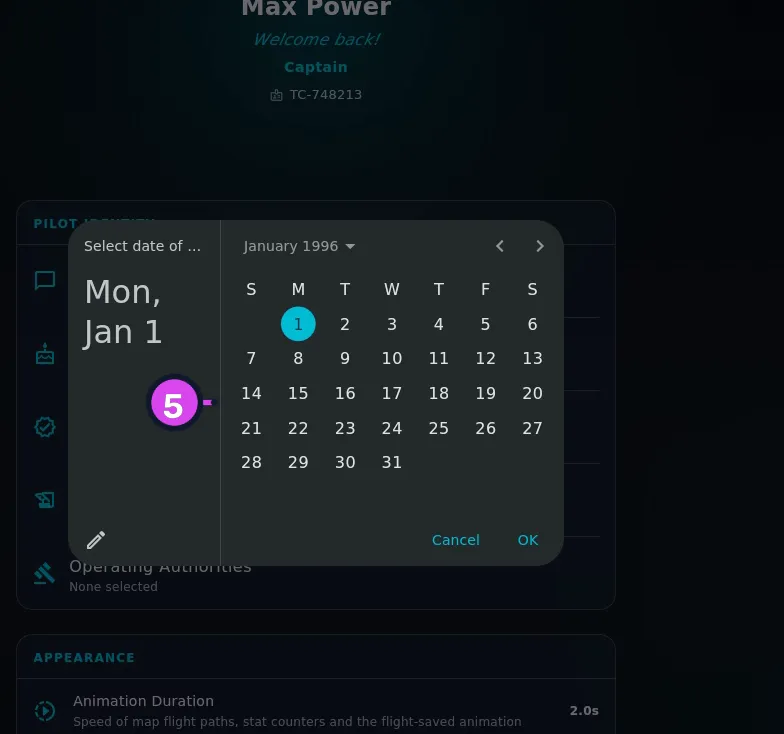
4 Greeting5 Date of Birth - Tap Date of Birth and pick your date of birth.
How to tell it worked
The block at the top of Profile Settings is showing the name, greeting, title and licence number you entered, and the Date of Birth row shows a date rather than Not set — enables age-tiered medical validity.
If something goes wrong
| What you see | Why | What to do |
|---|---|---|
| Greeting does nothing when you tap it | Your own Directory record hasn’t finished loading, or doesn’t exist yet | Leave the profile and open it again — the record gets repaired on open |
| Required under Last Name | The field is empty | Type something in. It’s the only field on the record you have to fill |
| Error saving Greeting: … | The write failed | Try again |
| Your name is right on the profile card and wrong on an export | They come from two different places: the card shows the profile’s name, exports use your Directory record | Fix the Directory record, at step 2 |
The fields on your Directory record
First Name (Optional), Last Name, License Number (Optional), Title / Position (Optional), Greeting / Display Subtitle (Optional), Email (Optional) and Phone (Optional). Your name and licence number are edited here, not on the settings screen.
Why the app asks for your date of birth
Medical validity depends on your age, and the age bands differ by authority. An FAA first-class medical is valid for twelve months under forty and six months over; an EASA class 2 runs sixty months under forty, twenty-four up to fifty, and twelve above that. Without a date of birth, the app falls back on the rule’s default period. For anybody in an older band that’s longer than the real one, so the currency card would tell you you’re legal when you aren’t.
The date is stored in your logbook along with everything else. It isn’t sent anywhere.
The rest of this section
Three more rows sit under PILOT IDENTITY, and each has a guide of its own:
- Document Store — PPC, Line Check, Medical, etc. (→ G2)
- Previous Experience — Summarize hours flown before this logbook (→ B7)
- Operating Authorities — which regulators’ rules your currency gets checked against (→ G7)