
Customise the flight card
What this does
Chooses which fields appear in the middle strip of every card in your logbook list.
Before you start
- A profile is open. Like the stats bar, this is set in Profile Settings, not on the logbook screen.
- This selection doesn’t sync. It’s stored on this device only — the editor’s subtitle says This device only — doesn’t sync — so each device has its own. The stats-bar editor next to it looks identical and does sync (→ J4).
- DATE, ROUTE and DURATION are fixed. Only the strip between them is yours.
Steps
- On the dashboard, tap your own profile card at the top to open Profile Settings, then scroll down to LAYOUTS.
- Tap Flight Card — Select fields to show on each flight log. The editor
opens, headed Flight Card / Pick and order the fields shown on each
flight card.
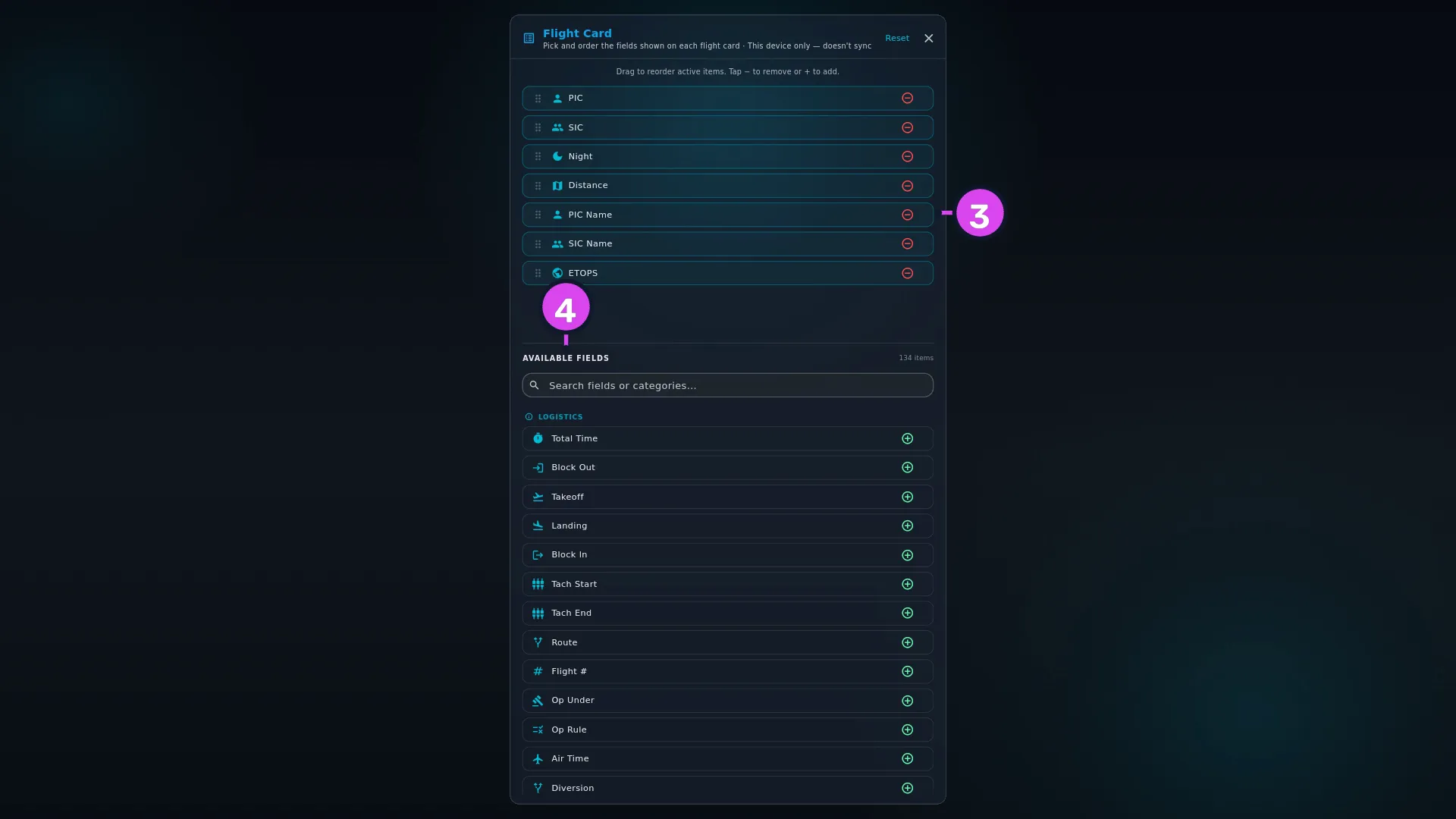
- Check the upper list. It’s what each card shows now — on a new logbook, PIC, SIC and Night. Drag to reorder active items. Tap − to remove or + to add.
- Add fields from AVAILABLE FIELDS with +. To narrow the pool, type into Search fields or categories….
- Remove with −, reorder by dragging, then go back.
How to tell it worked
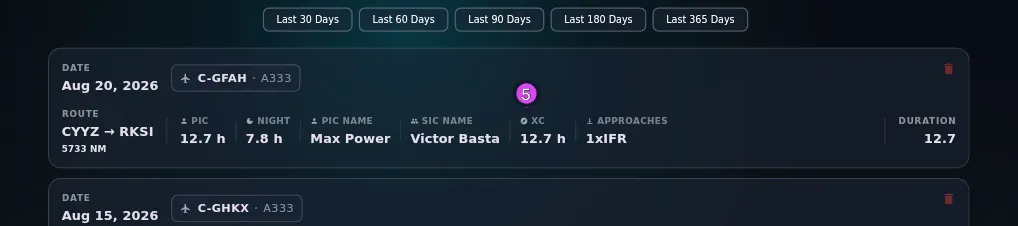
Every card in the logbook list shows your fields between the route and the duration, in your order.
If something goes wrong
| What you see | Why | What to do |
|---|---|---|
| A field you added isn’t on any card | A card leaves out a field with no value, and zero counts as no value. There’s no placeholder | Nothing is broken. Look at the card of a flight that has the field filled in |
| Distance is added and changes nothing | Every card already shows the distance under ROUTE, so it’s left out of the strip | Leave it out. It’s offered here anyway |
| No more fields available | Every field is already on | Remove the ones you don’t look for. A card showing everything is unreadable |
| Your other device shows different fields | This setting is per device | Set it there as well |
| After a Merge restore, the card looks the same as before | A Merge fills in this setting only if this device has never set it. Once you’ve set up a card here, a Merge doesn’t overwrite it | Nothing is wrong. Change it by hand if you want the backup’s layout |
The same fields, one line per flight
The fields you pick here are also the ones the logbook’s two dense views show, with one flight per line instead of a card. Choosing between cards and those views is a separate setting, Logbook View, in the same LAYOUTS section (→ D11).
The eight categories
The pool of fields is grouped into eight categories: Logistics, Flight Times, Statistics, Aircraft Details, Aircraft Flags, Crew, Duty & Fuel, Specialized Ops.
The same field list, set up twice
The flight detail view uses the same eight categories and fields (→ D7), but it has its own editor, and neither affects the other. Turning NVG on here doesn’t put it in the detail view, and hiding it there doesn’t take it off your cards.