
Quick filters
What this does
Puts one-tap filter chips above your logbook, and lets you choose which ones sit there.
Before you start
- Quick filters apply the moment you tap them. Unlike the filter sheet (→ D4), there’s no Apply step.
- Your choice of chips doesn’t sync to another device. The editor’s subtitle says so: This device only — doesn’t sync (→ J4).
Steps
- On the logbook screen, find the scrolling row of chips under the stats bar.
Tap one — Last 30 Days, say — to apply it.

2a active chip2b a suggestion chip - Check the chip is now filled, with a ✕ on it. A filled chip is a filter that’s on; the outlined chips beside it are ones you haven’t applied. Tap the ✕ to turn the filter off again.
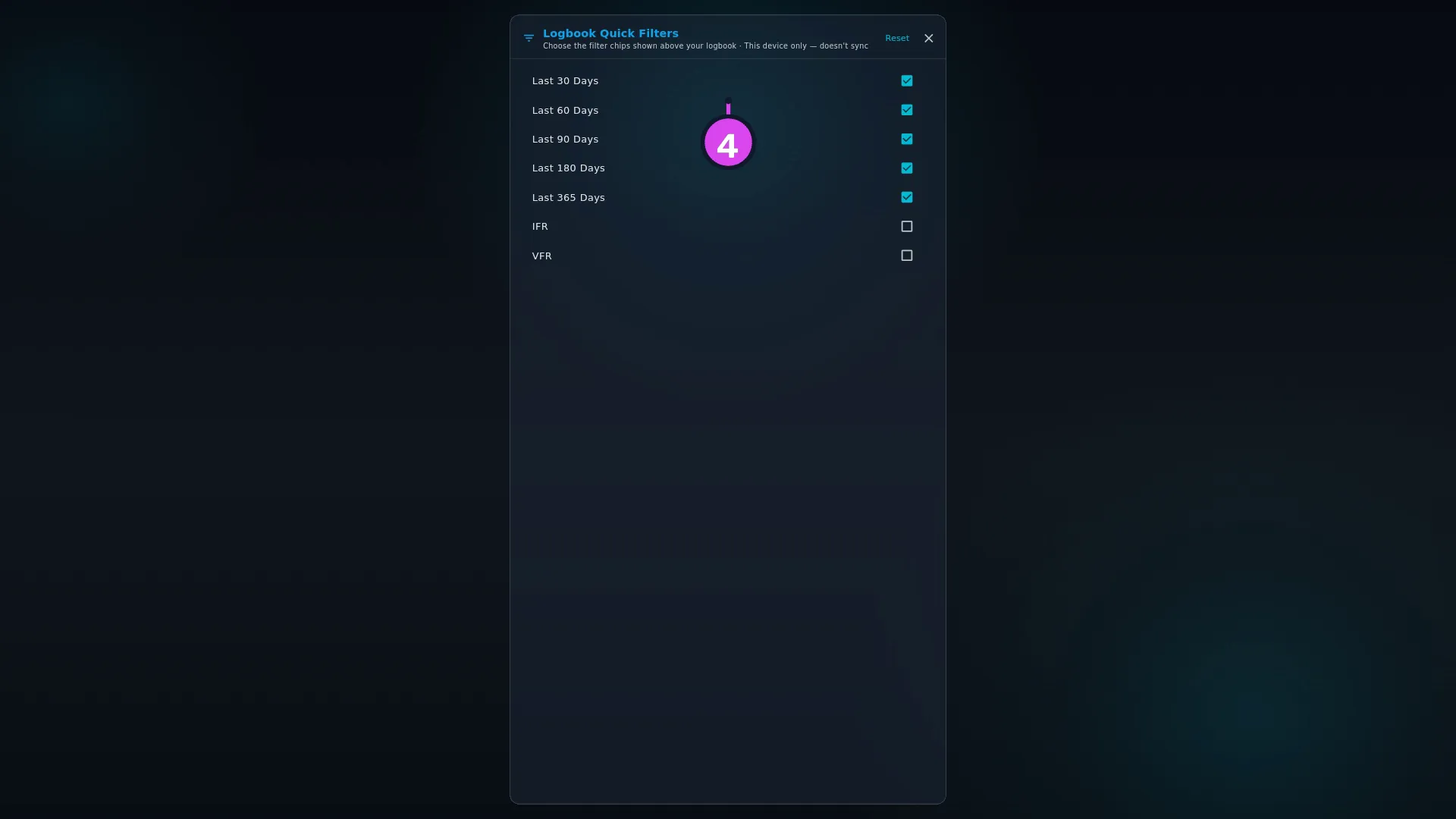
- To choose which chips are offered, tap your profile card on the dashboard to open Profile Settings, scroll to LAYOUTS, and tap Logbook Quick Filters — Customize the time range filters.
- In the editor — headed Logbook Quick Filters / Choose the filter chips
shown above your logbook — tick the chips you want and untick the rest.
How to tell it worked
The chip row above the logbook offers what you ticked. A tapped chip turns filled and gets a ✕, the list gets shorter, and the amber banner Filters are currently applied. Some data may be hidden. appears.
If something goes wrong
| What you see | Why | What to do |
|---|---|---|
| A suggestion chip has disappeared | Its filter is on, so it’s become the filled chip at the front of the row | Tap the ✕ to turn it off and it comes back |
| The IFR or VFR chip returns fewer flights than you expected | Only a flight with its Operating Rule field set will match | Explained in D4 |
| Your custom date range vanished when you tapped a range chip | A range chip is a smart range — the same control as Smart Range in the filter sheet — and you can’t have both | Set the custom range again in the filter sheet |
| After a Merge restore, your chips are the same as before | A Merge fills in this setting only if this device has never set it. Once you’ve picked chips here, a Merge doesn’t overwrite them | Nothing is wrong. Change them by hand if you want the backup’s choice |
What’s on offer
Seven options: Last 30 Days, Last 60 Days, Last 90 Days, Last 180 Days, Last 365 Days, IFR and VFR. The five ranges are ticked to begin with.
Older versions also list Pilot Flying, which can be ticked but never shows a chip. To find flights where you were pilot flying, filter on PF Departure or PF Landing in the filter sheet instead (→ D4).