
Takeoffs, landings and approaches
What this does
Records the takeoff, landing, hold and go-around counts on a flight, along with the instrument approaches you flew on it.
Before you start
- The entry form is open on a flight (→ C1).
- Approaches belong to one flight and can’t be set in bulk (→ C8).
Steps
- Open Takeoffs and Approaches (on a phone) or Takeoffs & Approaches (on
a desktop). It’s the same section.
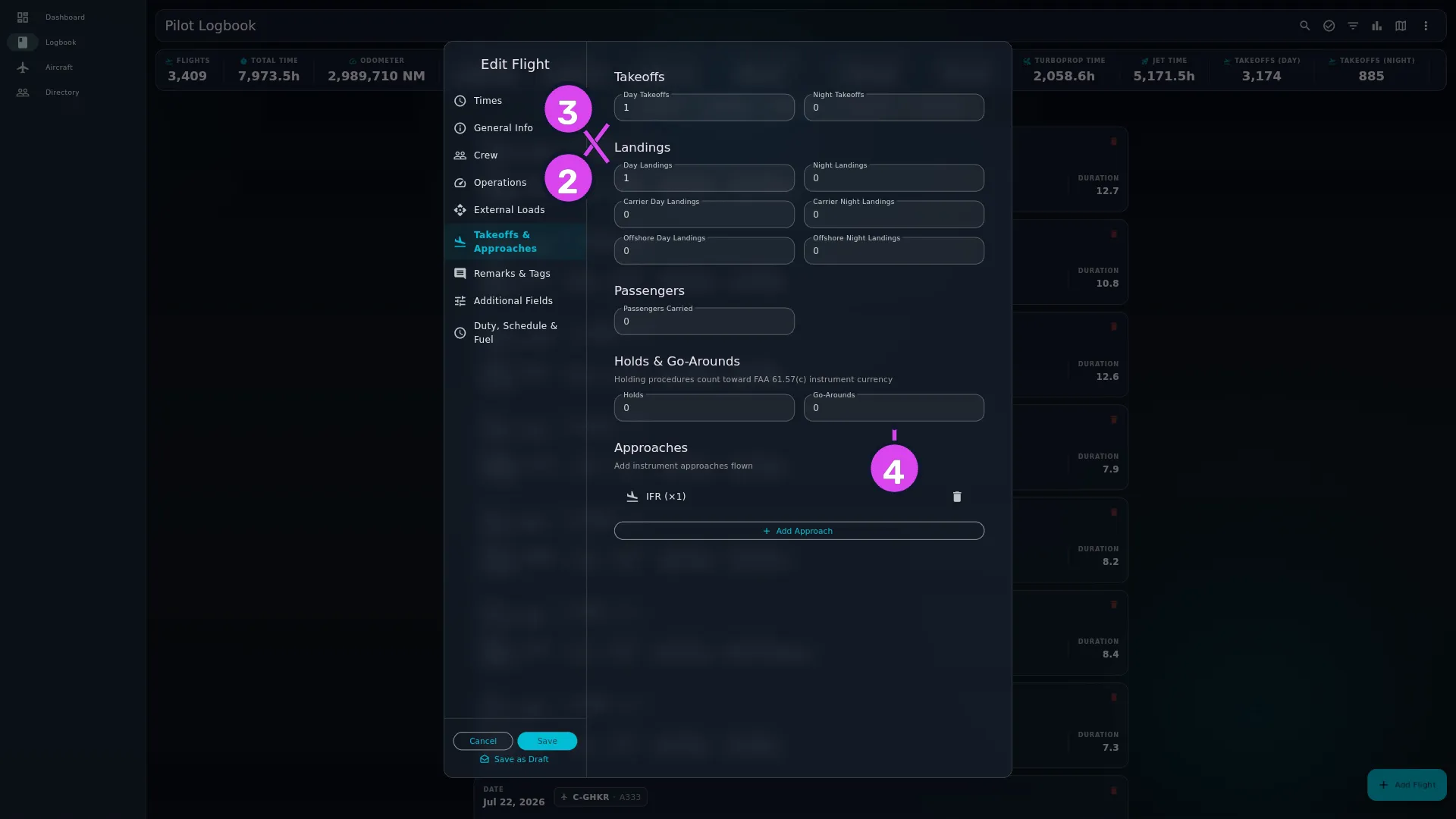
- Under Takeoffs, set Day Takeoffs and Night Takeoffs.
- Under Landings, set Day Landings and Night Landings, and then — if they apply — Carrier Day Landings, Carrier Night Landings, Offshore Day Landings and Offshore Night Landings.
- Set Passengers Carried, Holds and Go-Arounds if you need them.
- Under Approaches, tap Add Approach.
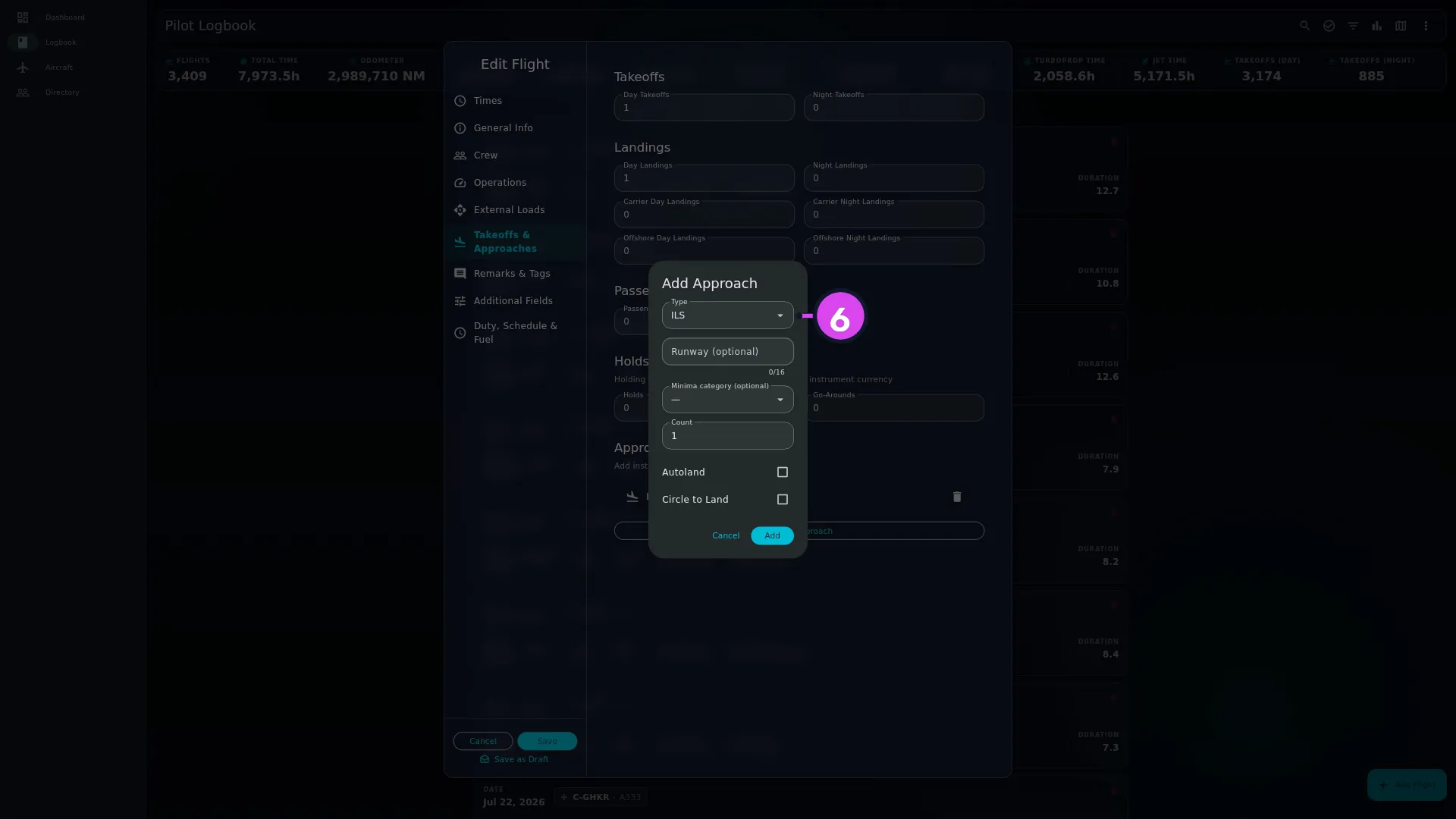
- Choose the Type: ILS, LOC, VOR, NDB, RNAV (GPS), RNP, LDA, SDF, Visual or Contact.
- Fill in Runway (optional) and Minima category (optional) — CAT I, CAT II or CAT III — if you want them on the record.
- Set Count to the number of times you flew that approach, and tick Autoland or Circle to Land if either applies.
- Tap Add.
- Tap Save on the form.
How to tell it worked
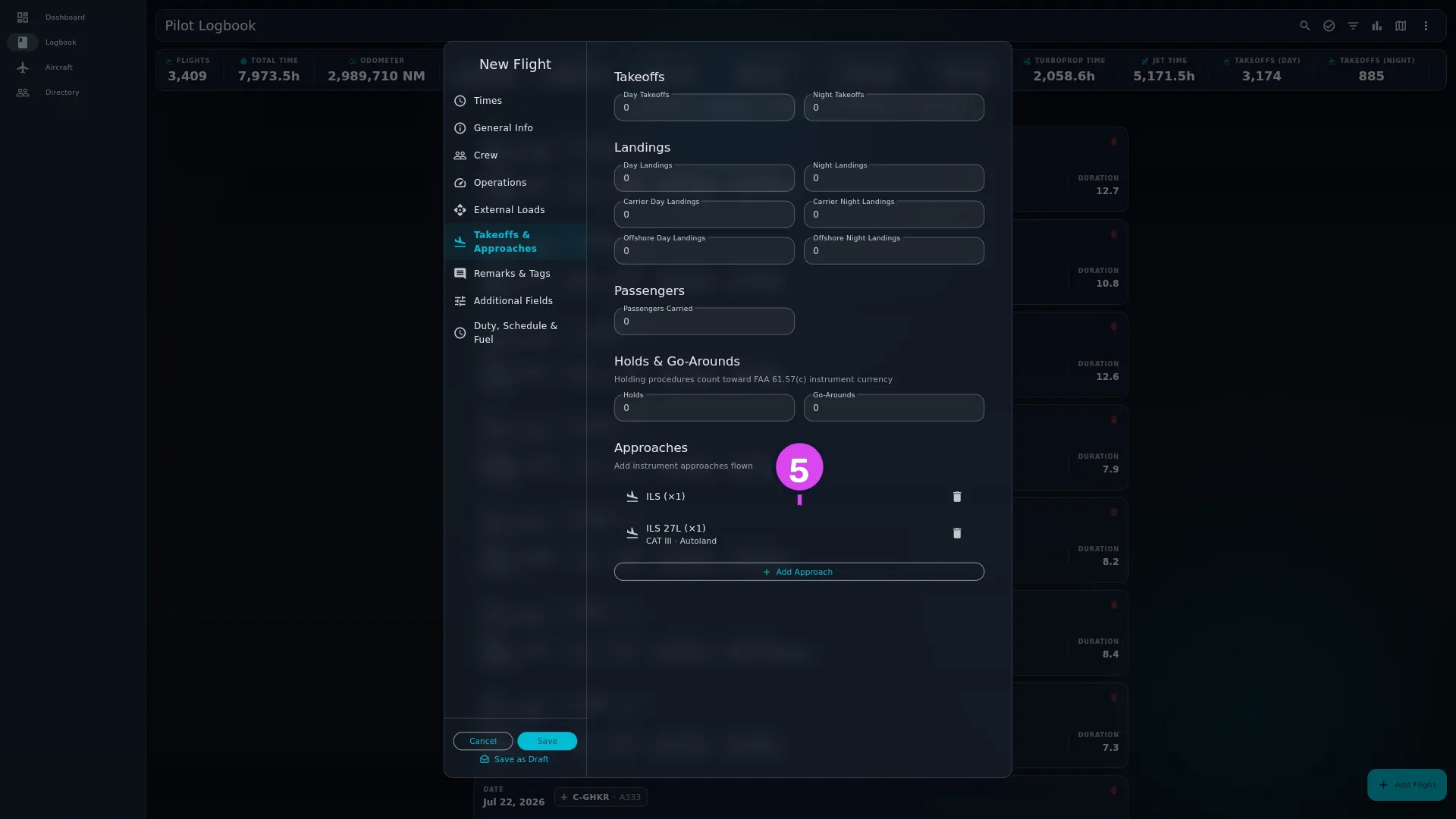
The counters hold your numbers. Each approach is a line under Approaches naming its type, with the runway and anything else you set underneath — CAT III · Autoland. Once you’ve saved, the flight’s detail view shows the same list.
If something goes wrong
| What you see | Why | What to do |
|---|---|---|
| No approaches added yet | There’s no approach on this flight | Tap Add Approach. The counters above are separate, and aren’t affected |
| Letters, a minus sign or a decimal point won’t type into a counter | Every counter under Takeoffs, Landings, Passengers and Holds & Go-Arounds takes digits only, and a blank field means 0 | Nothing to fix. Clear a counter to put it back to zero |
| The runway reads 27L when you typed rwy 27l | The app tidies runways — capital letters, and a leading RWY or RUNWAY removed | Nothing to fix. It stops one runway turning up three times in your approach statistics |
| An approach you deleted is gone for good after saving | Removing an approach and saving takes it off the flight, and there’s no undo | Add it again by hand |
| The section isn’t on your form | It’s been hidden | Profile Settings → Entry Form turns it back on |
Editing and removing an approach
Tap an approach to reopen it as Edit Approach; it updates when you tap Save in the dialog. The bin icon beside it removes it.
A removal takes effect when you save the flight, and it’s permanent — the approach isn’t kept anywhere you can get it back from. Closing the form without saving is the only way to undo one.
Count is a multiplier, not a list
Three ILS approaches to the same runway on the same flight are one approach with Count 3, not three. Add separate approaches when they really differ — a different type, runway or minima category — and use Count when it’s the same approach flown again.
What a regulator wants recorded about each approach is a question for the rules, not the app. For the FAA, see How do you log instrument approaches for currency? in the library.
Carrier and offshore landings are their own counters
Carrier Day Landings, Carrier Night Landings, Offshore Day Landings and Offshore Night Landings sit beside Day Landings and Night Landings rather than being part of them. So a night trap only counts as a night landing if you put it in both counters. Decide which way your authority expects it and stick to it — nothing in the app reconciles the two for you.
What currency reads
These counts are what instrument and passenger-carrying currency is worked out from (→ G5), and nothing else on the form stands in for them. Under Holds & Go-Arounds the app says so itself: Holding procedures count toward FAA 61.57(c) instrument currency. Holds, approaches and night landings are what your currency card is built from, and a flight logged with hours but no counts adds nothing to it (→ G8). So if a currency window looks emptier than your flying, look here first.