Produces a print-ready PDF of your logbook, laid out in the column format of the
authority you choose, with a running total and a signature line on every page.
Before you start
A profile is open and has flights in it.
PDF export is a Pro feature, as is FAA 8710-1 Section III. The other
four formats — CSV (logbook), TSV (logbook, tab-delimited), CSV (all
entities, .zip) and Excel (.xlsx) — are free, forever. The free 100-hour
limit caps what a logbook records, not what leaves it: a free logbook exports
in full.
Drafts aren’t in the PDF. Finish any you want printed first (→ C3).
Steps
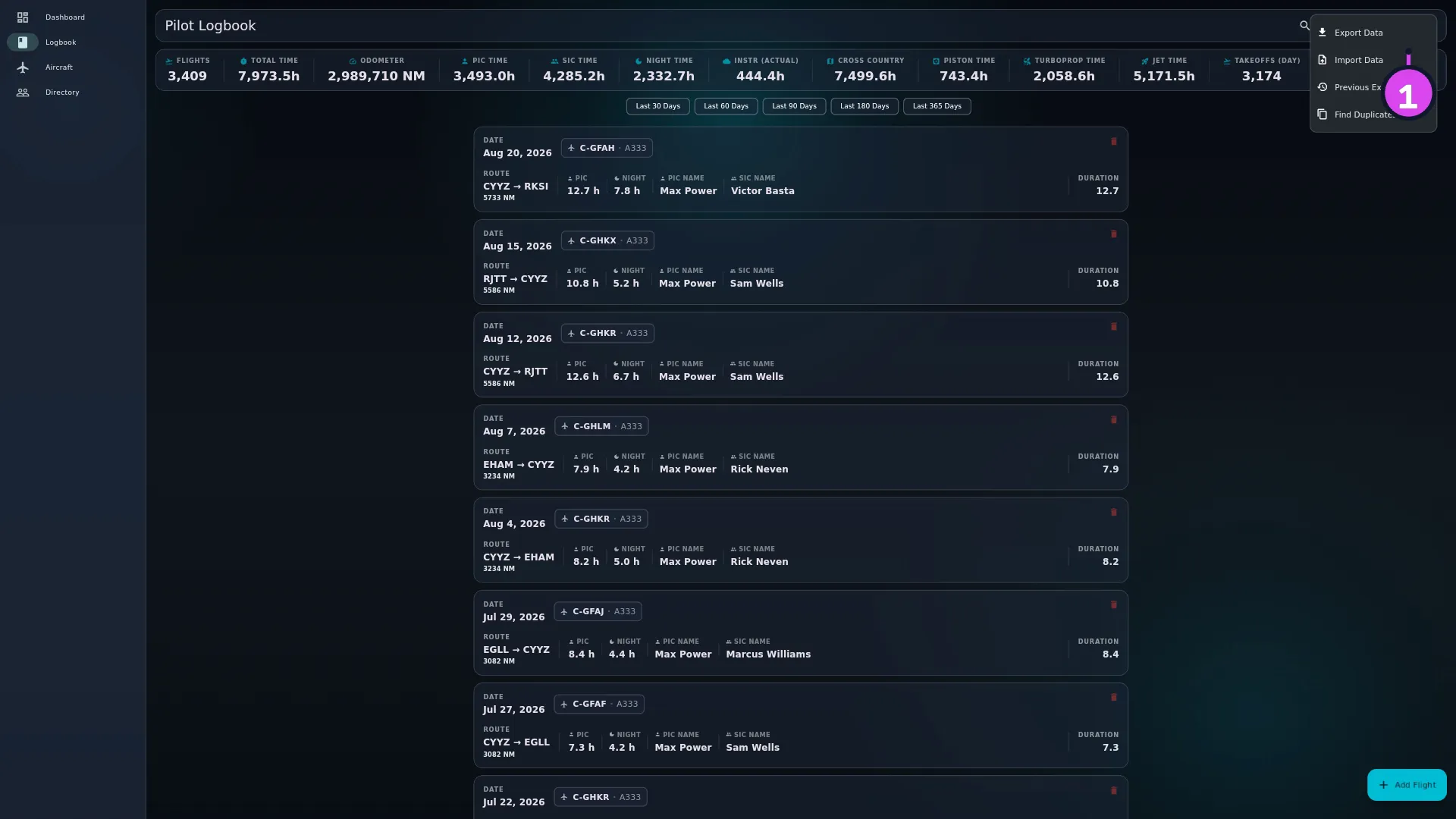
On the Logbook screen, tap ⋮ (More Actions) and choose Export Data.
The item names one format but opens all six.
Expand1 Export Data — opens the export panel
The Import / Export / Backup modal opens with the Export segment
already selected. (If you open it another way — the dashboard’s Import /
Export / Backup card, or ⋮ (More Actions) → Import Data — it opens
on Import, so tap Export.)
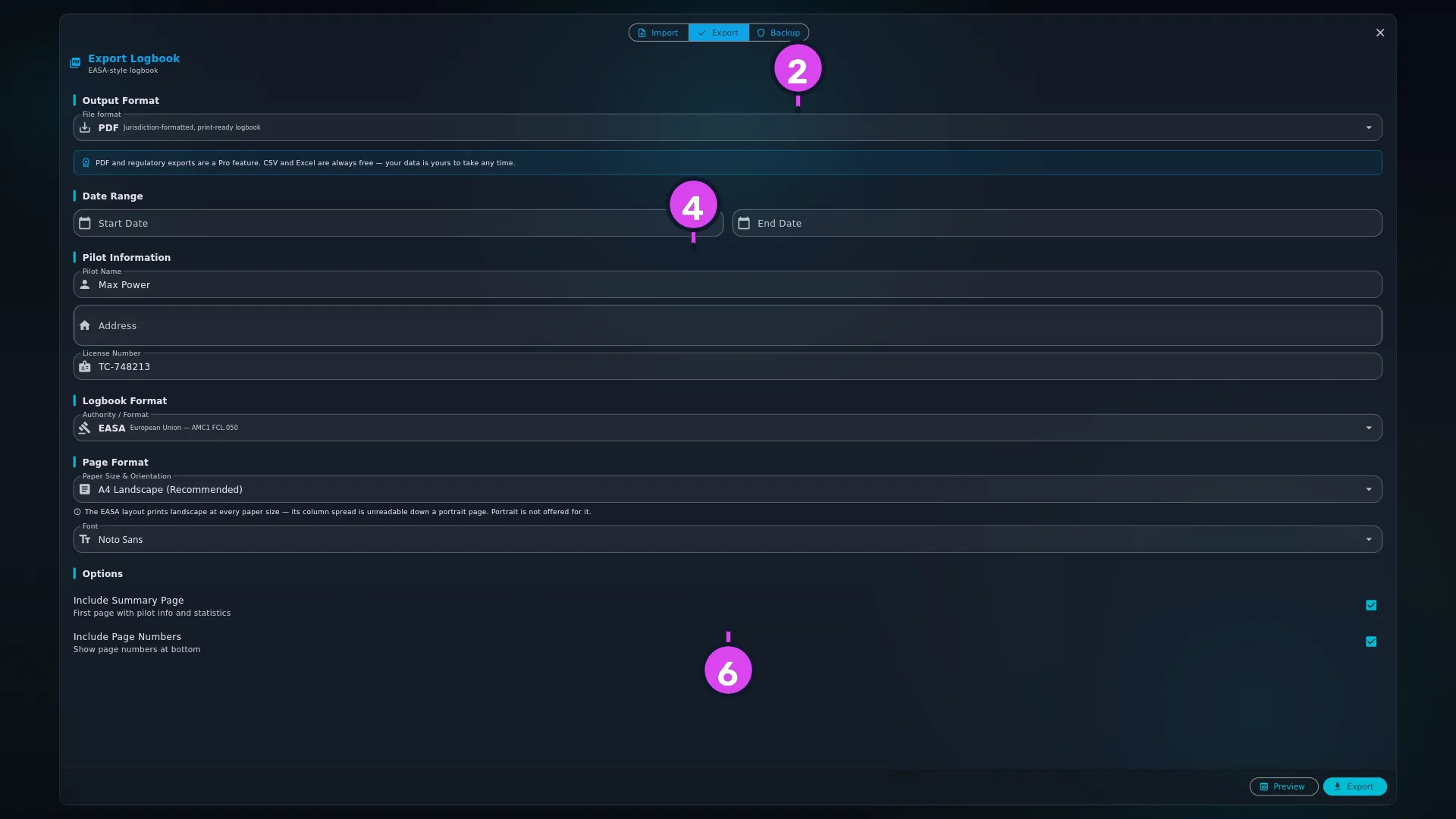
1 the three segments
Under Output Format, leave File format on PDF — Jurisdiction-formatted,
print-ready logbook. It’s already selected.
Expand2 format dropdown4 Pilot Information6 Include Summary Page
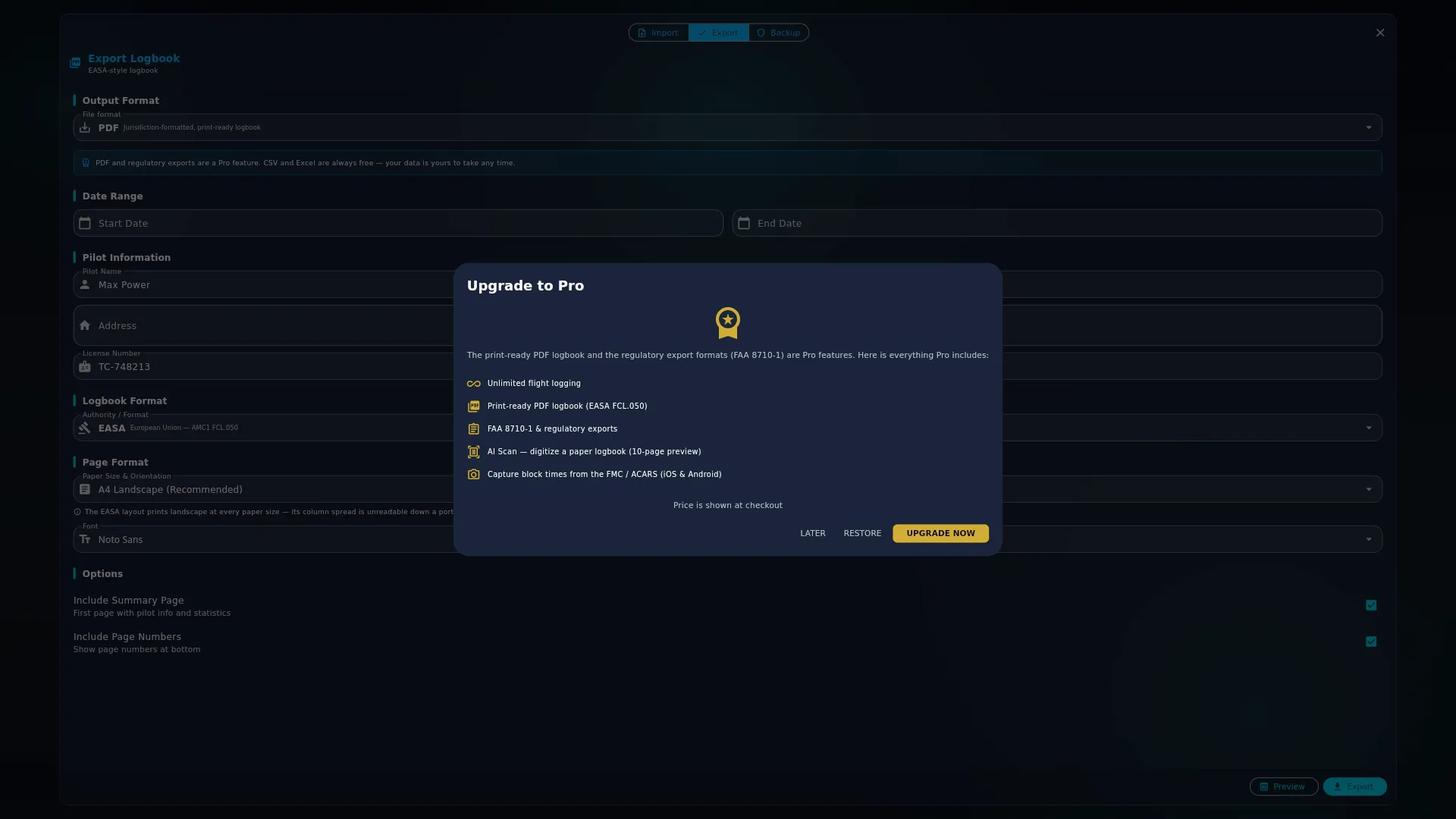
On a free logbook, check the notice under the dropdown: PDF and regulatory
exports are a Pro feature. CSV and Excel are always free — your data is yours
to take any time. Tapping Export or Preview opens the upgrade screen,
where you’ll find what it costs.
ExpandExpand
Check Pilot Information — Pilot Name, Address (two lines) and
License Number — and edit any that need changing for this export. They’re
filled in for you (see Gotchas).
Set Date Range if you want to — Start Date and End Date. Both are
optional, both show All time until you set them, and each can be cleared
again. This is the only way to narrow the export: the filters and the search
box on the Logbook screen have no effect on it.
Expand
Under Options, choose Include Summary Page — First page with pilot
info and statistics, on by default — and Include Page Numbers — Show
page numbers at bottom. (The three sections above, Logbook Format, Page
Format and Font, set the authority layout, the paper and the typeface —
see F2.)
Tap Export, then choose where to save. The dialog offers the name
logbook_YYYYMMDD.pdf.
Preview, beside Export, opens your system print dialog instead of saving
a file. Use it to check a layout before you commit to it. It needs Pro, the same
as Export.
How to tell it worked
The button goes from Exporting… back to Export, and a message reads
Logbook exported successfully! Open the file. Its first page is headed PILOT
LOGBOOK, with Pilot logbook — and the citation beneath it (Personal log —
on the TCCA layout), then PILOT
INFORMATION and LOGBOOK SUMMARY — total flights and total flight time, and
on every layout but EASA a breakdown by role and condition. From and To
only appear if you set a date range, and they show the dates you set, not the
first and last flights in the book.
Every page after that is a flight page:
column group headings across the top, and one line per flight, oldest first
(whatever your Logbook screen is sorted by)
your name and licence number in the header, with Total Time to date at the
right
three lines at the foot of the table — Brought forward / Page total /
Carried forward
beneath them, the certification strip — I certify that the entries on this
page are true and that the totals carried forward are correct to the best of my
knowledge. — with ruled Signature and Date lines.
If something goes wrong
What you see
Why
What to do
The upgrade screen opens instead of a save dialog
PDF is a Pro format, and so is FAA 8710-1 Section III
Upgrade, or use one of the four free formats (→ F3)
Export failed: …
The file couldn’t be written
Check you have free storage and can save to that folder, then try again. No half-written file is left behind
Preview failed: …
The print dialog wouldn’t open, or rendering failed
Use Export and open the saved file instead
The summary page has no PILOT INFORMATION block
Nothing was filled in on any of Pilot Name, Address or License Number
Fill in at least one, and export again
A flight is there but its flight-time columns are empty
It’s a simulator session. Its duration is in the FTD column (FAA) or the Ground column (TCCA, CAANZ)
A flight you can see in the app is missing from the PDF
It’s a draft, or it falls outside the date range
Finish the draft (→ C3), or clear Start Date and End Date
Reference: the export panel
Section
Control
What it does
Output Format
File format
Chooses one of six formats. PDF is the default, and is Pro
Date Range
Start Date, End Date
Narrows what is printed. Both optional, both hint All time, both can be cleared. No date later than today
Pilot Information
Pilot Name
Prints in every page header, and on the summary page
Address
Prints on the summary page only. Two lines
License Number
Prints in every page header, and inside the summary page’s PILOT INFORMATION block
Logbook Format
Authority / Format
EASA, UK CAA, FAA, TCCA, CASA or CAANZ — the column layout (→ F2)
Page Format
Paper Size & Orientation
Six sizes. Two of them add crew-name columns (→ F2)
Font
Nine faces. Applies to pilot-entered cells only
Options
Include Summary Page
First page with pilot info and statistics. On by default
Include Page Numbers
Show page numbers at bottom. Off removes Page X of Y and nothing else
Action bar
Preview
Opens the system print dialog. Pro-gated, same as Export
Export
Writes logbook_YYYYMMDD.pdf
Gotchas
Pilot Name and Licence Number come from your Directory record; Address
doesn’t. Update either on your own Directory record
(→ A9) and it shows up here
next time. Address has nowhere to live in your logbook, so it’s kept on this
device only, from whatever you last typed into this panel — a second device
starts with it blank. Editing any of the three fields here changes what’s filled
in for future exports on this device, without touching your Directory record.
The PILOT INFORMATION block prints if any one of the three fields has something
in it. Fill in only License Number and the block still prints, holding that
one line. Leave all three blank and the block is left out. The page headers,
which print Pilot Name and License Number separately from the summary
page, aren’t affected either way.
Turning off page numbers doesn’t clear the footer.Include Page Numbers
removes Page X of Y, and nothing else. The authority acronym and the
regulation citation stay on every sheet, so a loose page still says which rule it
was written under.
Brought forward is real, and it’s why page one isn’t zero. It carries your
Previous Experience opening balance plus every flight dated before your Start
Date. A date range changes what prints, never what counts. That’s why the last
page of a date-limited export shows the same Carried forward as an export of
the whole logbook.
A simulator session prints with its flight-time columns blank. A session
counts as a simulator session when it has a device class — either its own, set in
the entry form’s Simulator / FTD session block, or one on the aircraft type
it’s logged against (→ E4). Its duration appears in the FTD column on the FAA
layout, the Ground column on TCCA and CAANZ, and the FSTD SESSION pair on
EASA, which also prints the device class itself. Only CASA has no device
column: there the duration prints nowhere on the flight line — the Day and Night
cells are blank, and no other column shows the block time — though it’s still
totalled on the summary page under Simulator (FFS / FTD). On every layout it’s
left out of Total Time to date in the page header, because that’s the figure
the certification strip beneath the table affirms.
Previous Experience never prints as a flight line. If you entered 480 hours
as an opening balance, don’t look for a 480-hour line in the table — there isn’t
one. Previous Experience is your opening balance: it moves the Brought
forward and Carried forward lines and the Total Time to date figure in
the page header, and appears nowhere else, not even in the summary page’s
Total Flight Time (→ B7).
Handwriting fonts stay readable, because they only apply to your own cells.
The nine faces apply to what you entered — times, registrations, remarks.
Column headings, the citation and the certification strip stay in a plain
typeface whatever you choose, so Caveat or Indie Flower produces
a form that looks handwritten rather than one nobody can read.
The app prints the layout, not the approval. It prints the authority’s
column layout and the regulation citation. Whether an authority accepts a
printed PDF as your logbook of record is that authority’s decision, and not
something the app can settle for you. For what Canada’s rules say about
keeping your log electronically, see
Are electronic pilot logbooks legal in Canada?
in the library.
Worked example
One pilot, one logbook: 1,240 flights totalling 3,980.5 hours, plus 120.0 hours
of Previous Experience entered under SEL. No simulator sessions. They keep the
EASA layout on A4 Landscape, set Start Date to 2024-01-01 and leave
End Date empty.
Of those flights, 1,010 are dated before 2024 and total 3,180.0 hours. The other
230 flights, totalling 800.5 hours, are the ones that print. An EASA A4 landscape
page holds 20 flight lines, so the first page carries 20 of them — say 46.0 hours
between them.
Each of the three totals lines prints a figure under every numeric column: SE,
ME, multi-pilot, landings, night, IFR and each pilot-function column all get their
own running total. Go down the TOTAL column and the three lines say:
Line
Value
Where it comes from
Brought forward
3,300.0
120.0 of Previous Experience plus the 3,180.0 hours flown before the Start Date
Page total
46.0
The 20 flights printed on this page
Carried forward
3,346.0
3,300.0 + 46.0
and Total Time to date in the top-right of that page reads 3,346.0 — the same
figure, because the EASA TOTAL column and the header total are worked out the
same way, both leaving out simulator sessions.
EASA and UK CAA are the only layouts with a TOTAL column. On FAA, TCCA, CASA and CAANZ the
same running total exists only as those per-column figures, so there’s no single
Carried forward number to compare the header against.
On the last page, Carried forward reads 4,100.5: 120.0 + 3,980.5.
Now clear Start Date and export again. Every flight prints, so page one is a
different page — it carries the 20 oldest flights in the book, and its Brought
forward is 120.0, because the only thing before the first printed flight is
now the opening balance. The figure that doesn’t move is the last page’s
Carried forward: 4,100.5 either way.
That’s the rule as arithmetic: a date range decides which flights are printed,
never which flights are counted.