
The profile selector
What this does
Explains the screen the app opens on whenever you’re not inside a logbook, and the three very different things the + button does.
Before you start
- Nothing. You can get back to this screen at any point by leaving the open profile (→ A8).
Steps
- Find the list under Select a profile. Each card on it is one logbook.
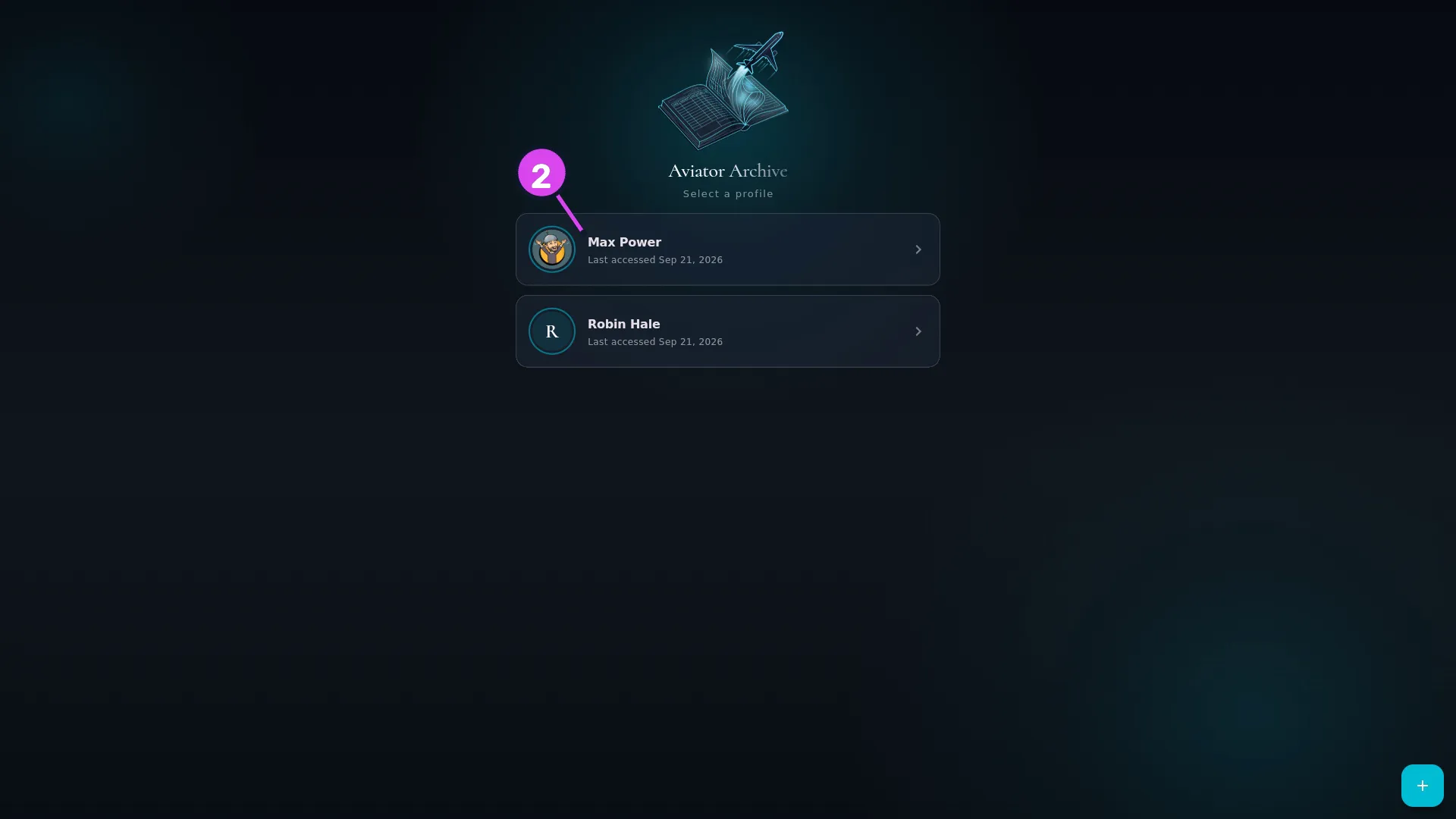
2 a card's name and Last accessed line - Find the logbook you want by its picture and name. Underneath is Last accessed with a date — that’s all a card shows. There’s no flight count, and no badge to say whether a profile has a PIN.
- Tap the card to open that logbook. If it has a PIN, you’ll be asked for it — or for your fingerprint or face, if you’ve turned that on (→ A5, A6).
- Tap the round + button at the bottom right. The three ways a logbook can
arrive on this device fan out above it, in this order:
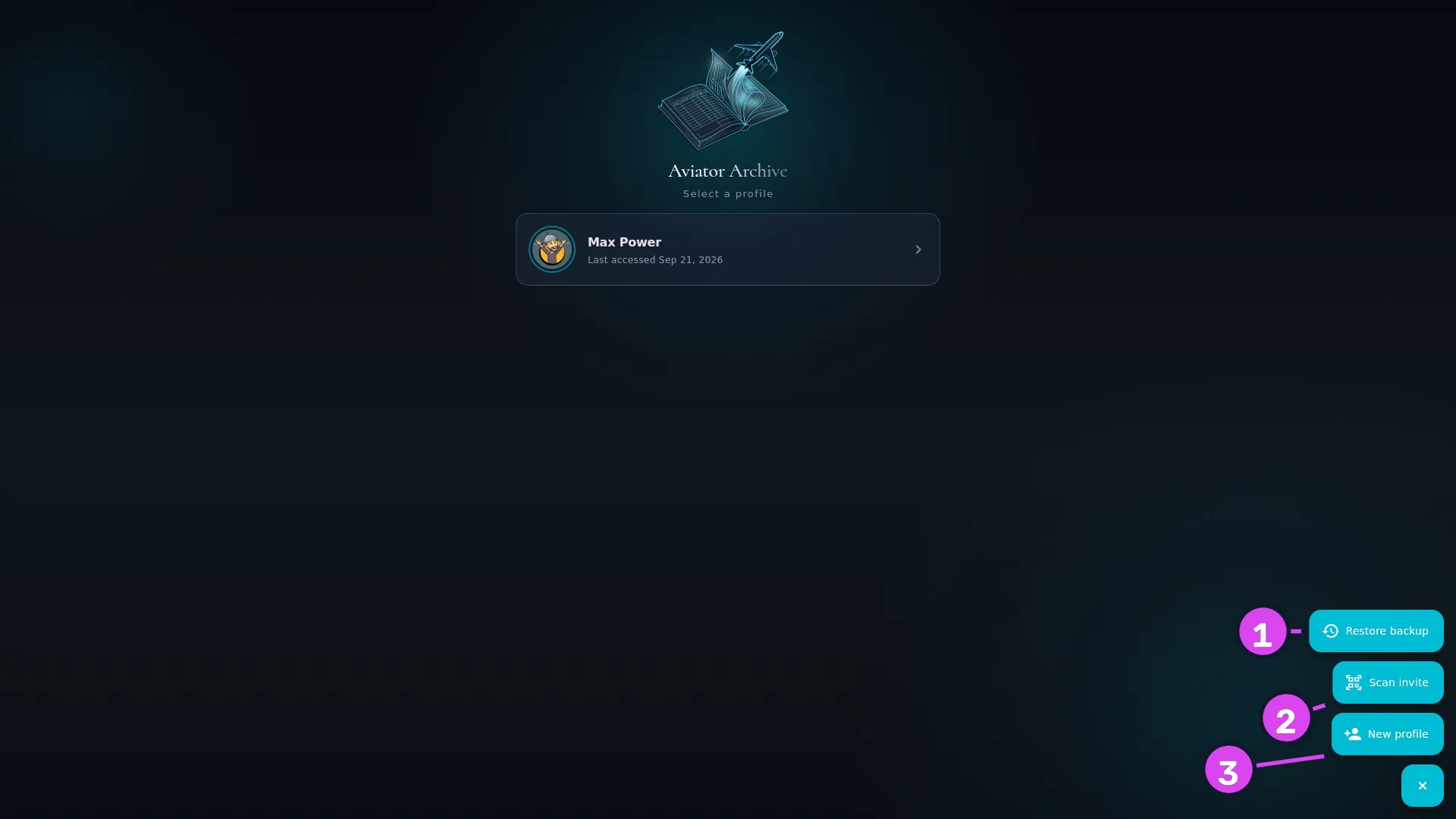
1 Restore backup2 Scan invite — joins this device to a logbook3 New profile
| Action | Use it when |
|---|---|
| Restore backup | You’ve got a backup file or destination, and this is a new or wiped device (→ H6, H7) |
| Scan invite | Your logbook is open on another device and you’re adding this one to it (→ I2) |
| New profile | This is your first device, or you’re making a genuinely separate logbook. It asks first, and sends you to the right action if your logbook already exists somewhere (→ A3) |
How to tell it worked
Tapping + turns it into ×, and the three labelled buttons appear. Tapping ×, or picking one of them, folds them away again.
If something goes wrong
| What you see | Why | What to do |
|---|---|---|
| No profiles yet | This device isn’t holding a logbook | Create one (→ A3), or bring one over with Restore backup or Scan invite |
| Couldn’t open this profile. Please try again. | The app couldn’t read the profile’s security settings, and it won’t open a profile unprotected | Try again. If it keeps happening, the profile’s files may be damaged — restore from a backup (→ H6) |
| Error opening profile: … | The logbook itself wouldn’t open | Restart the app. If it persists, restore from a backup (→ H6) |
| Error loading profiles: … | The list of profiles couldn’t be read | Restart the app. Your logbooks are separate files and aren’t affected by this |
Two of these three are not “create”
Restore backup and Scan invite both bring across a logbook that already exists somewhere else, identity and all. It stays the same logbook, and can sync with wherever it came from. New profile makes a brand new one, which will never sync with anything.
That’s the most important thing on this screen, and it’s covered properly in One logbook, every device.