
Create your profile
What this does
Makes your logbook: creating a profile gives you an empty logbook and an entry for yourself in the Directory.
A profile is a whole logbook — its own database, its own settings, its own history.
Before you start
- Only create a profile if this is your first device. If your logbook already exists somewhere else, leave this screen alone and send that profile across instead (→ A2, I2, I3). Typing the same name here gets you a second, empty logbook, and the two will never find each other.
- A name is the only thing you have to supply. Everything else can wait.
Steps
- On the profile selector, tap the round + button at the bottom right. It
turns into a ×, and three actions fan out above it.
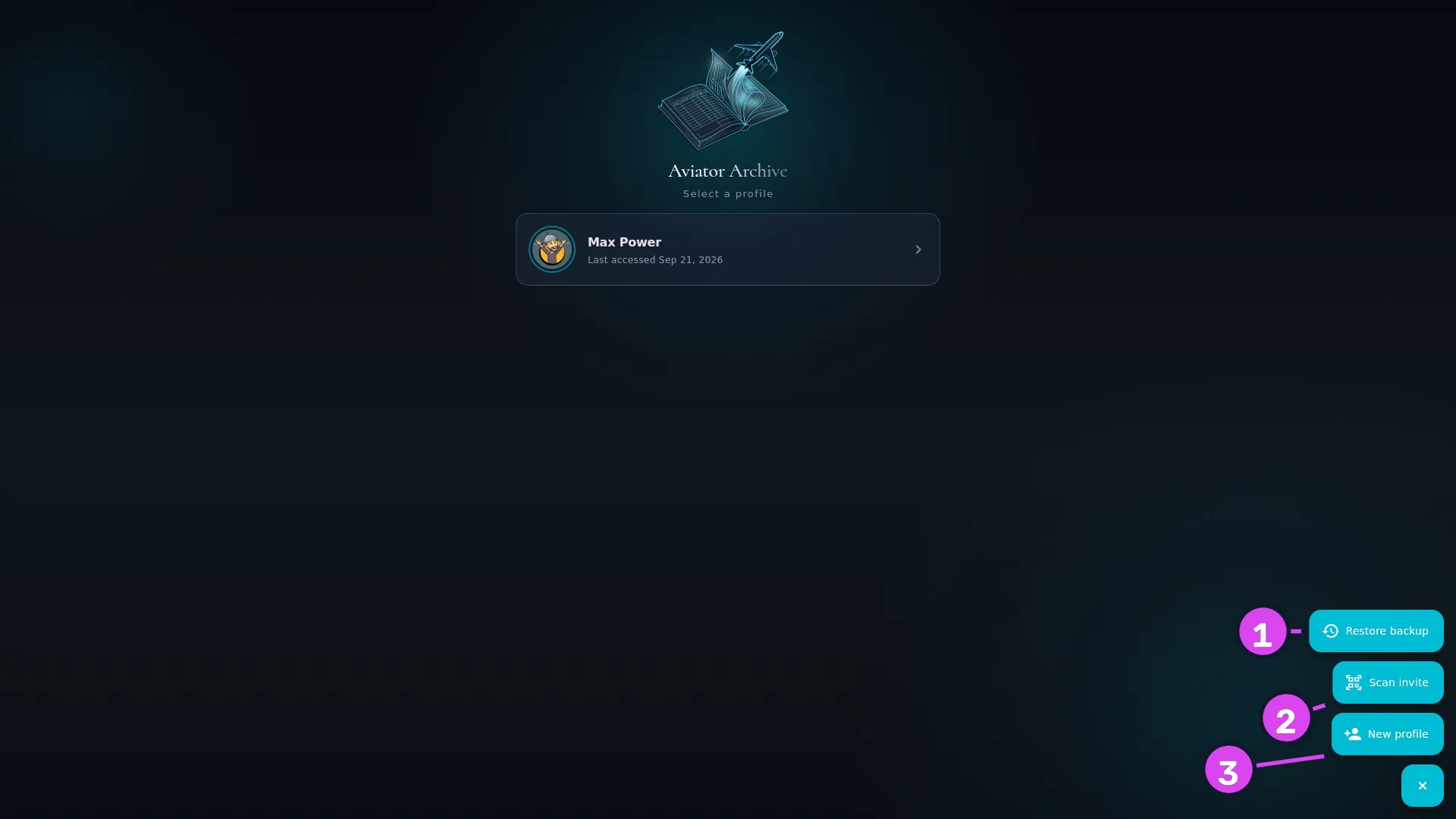
1 Restore backup2 Scan invite — joins this device to a logbook3 New profile - Tap New profile. The app first asks Is this your first device with
Aviator Archive? — tap This is my first device. (If your logbook is on
another device, or in a backup file, the other two answers take you to
Scan invite or Restore backup instead.)
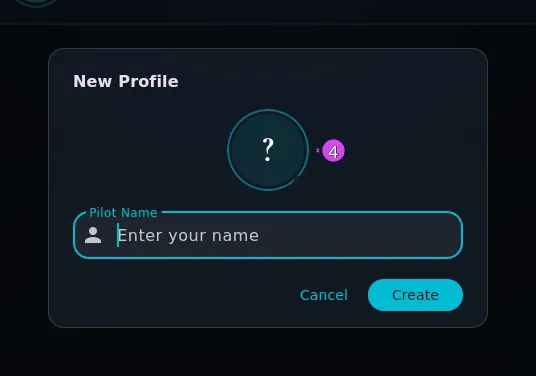
- Type your name into Pilot Name the way you’d sign it — first name, space,
last name. It’s the name that goes on your exports.
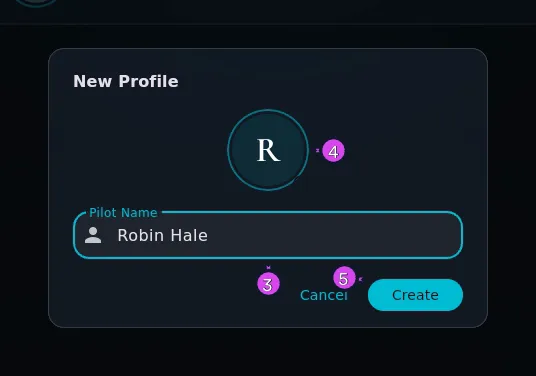
- For a picture, tap the circle above the field: Take photo on a phone or tablet, Choose image… on any device. Leave it, and the circle keeps the first letter of your name.
- Tap Create.
- The profile opens, and a Set Profile PIN dialog appears straight away. Set a PIN now, or tap Cancel and come back to it later. Either way, read A5 before you decide.
How to tell it worked
A message reads Created profile:
If something goes wrong
| What you see | Why | What to do |
|---|---|---|
| Name is required under the field | The name is empty | Type a name. It’s the only field you have to fill |
| Could not open the camera. / Could not open the image chooser. | The app wasn’t given camera or photo permission | Grant it in your device’s settings, or skip the picture — nothing else depends on it |
| Could not load that image. | The file you picked isn’t an image the app can read | Choose a different one |
| Error creating profile: … | The logbook file couldn’t be written | Check you’ve got free storage and try again. Nothing half-made is left behind |
More than one profile
A device can hold as many profiles as you want. If two pilots share it, a profile each is the normal arrangement.
About the name you type
The name goes two places: onto the profile card, and into a Directory entry for yourself — the self person. That entry is what appears on your exports and in crew lists. Those need a first and a last name separately, so the app splits what you typed at the first space: “Max Power” becomes first name Max, last name Power.
A name with no space in it is fine. Call the profile Skipper and the Directory entry gets that first name and no last name. Older versions of the app wrote the text (Self) into the empty last name instead. If you have an entry like that, it’s corrected once, the next time the profile opens — there’s nothing to do by hand (→ A9).
After this, the profile name and the Directory name are separate. Renaming one doesn’t rename the other.