
Units and time format
What this does
Chooses whether flight times read as 1.5 or 1:30, and whether distances read in nautical miles, kilometres or statute miles.
Before you start
- A profile is open. Both settings belong to this logbook on this device.
- Neither setting changes anything stored. The logbook always holds decimal hours and nautical miles; these two rows only decide how they’re shown. Switching back and forth loses you nothing.
- Time Format also governs the PDF logbook you export, so set it before you print for an interview or a licence application.
- Neither setting travels to your other devices (→ J4).
Steps
- On the dashboard, tap your own profile card at the top to open Profile
Settings, and scroll to UNITS AND FORMAT. It has two rows.
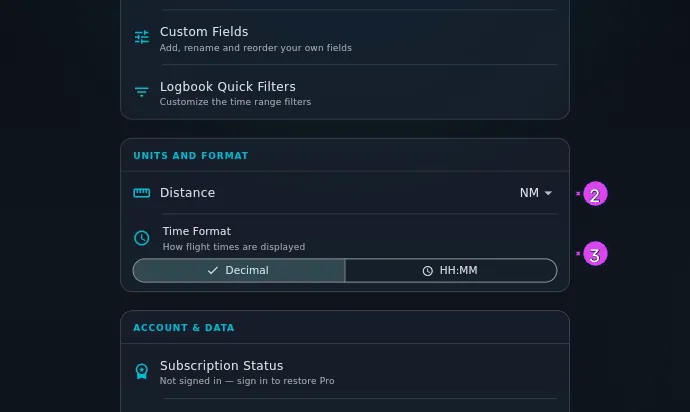
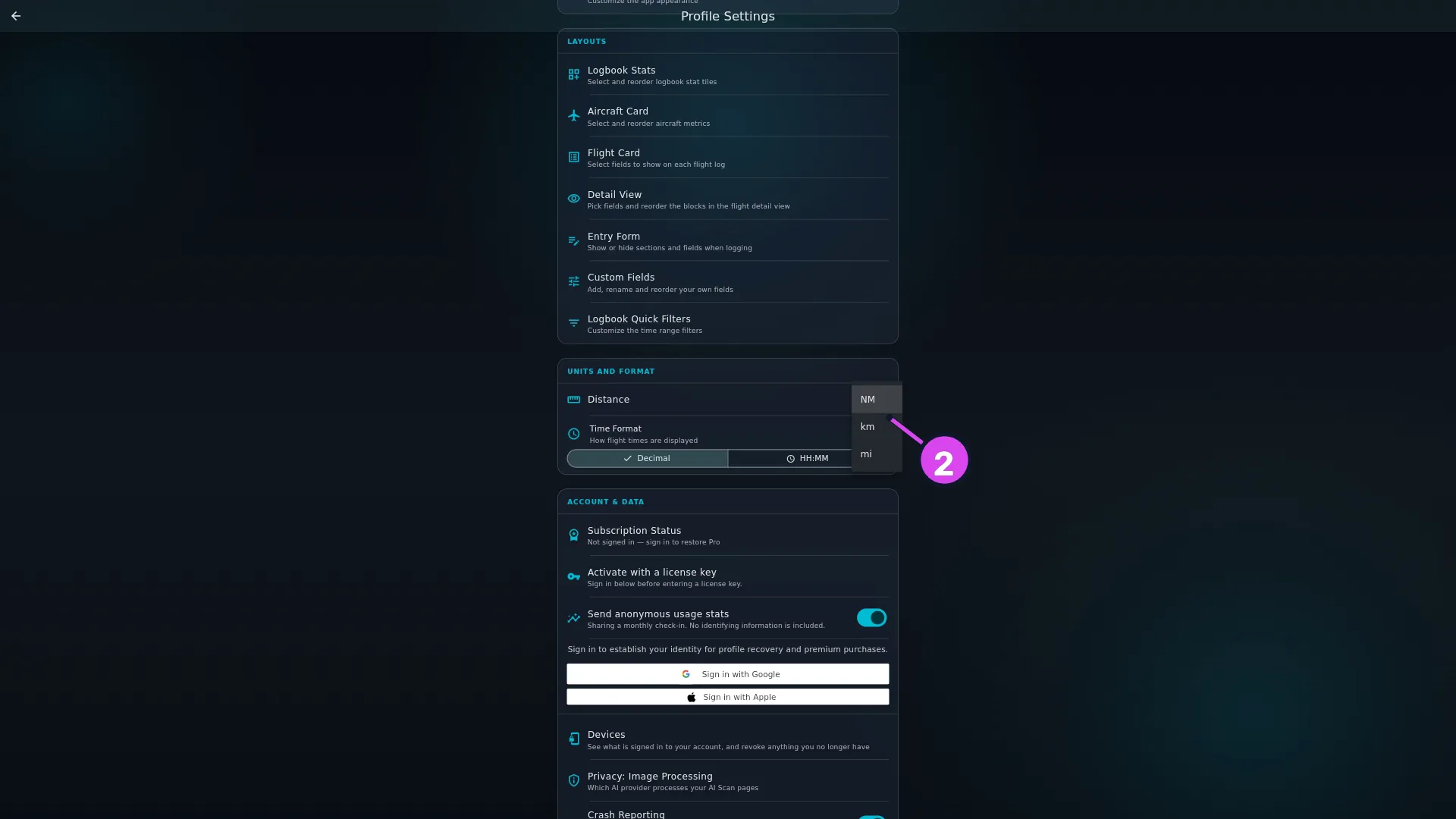
2 Distance3 Time Format - Tap the dropdown on the Distance row and choose NM, km or mi.
The default is NM.
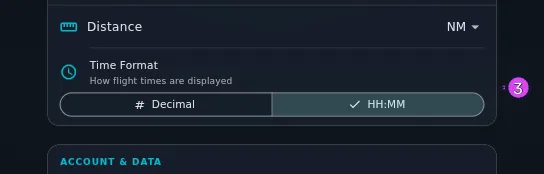
- On Time Format — How flight times are displayed — tap Decimal or
HH:MM. The default is Decimal.
How to tell it worked
Every screen redraws at once: totals on the dashboard, the flight card, the detail view, analytics, the Hangar and the Directory. In the flight-entry wizard, the hint under a time field follows the setting — e.g. 1:30 in HH:MM, e.g. 1.5 in Decimal — and a time you type is rewritten in the chosen form when you leave the field.
If something goes wrong
| What you see | Why | What to do |
|---|---|---|
| A CSV, TSV or Excel export is still in decimal hours and nautical miles | Those files always use fixed units, so they’re the same file for everyone | Convert after export if you need other units (→ Area F) |
| A PDF logbook is in nautical miles even though you chose km | The Distance setting reaches no export at all, the PDF included | Nothing in the app changes it |
| A PDF logbook printed from your phone is decimal, even though the desktop is set to HH:MM | The setting doesn’t travel between devices | Set Time Format on the device you print from |
You typed 30 for thirty hours and got 0.5 | A whole number under 24 is read as hours, and 24 or more as minutes, in either format | Type 30.0 or 30:00. Both are accepted whichever format is selected |
| Both settings came back at their defaults after a Merge restore | This device had already set its own value, so the backup’s didn’t replace it | Set them again by hand. A Merge never overwrites a choice already made here |
| Both settings changed by themselves after a Merge restore, and you never set them here | This device had no value of its own yet, so the backup’s filled the gap | Nothing to do. A Replace restore applies both, whatever was set before (→ H6) |
What each setting reaches
| Where | Time Format | Distance |
|---|---|---|
| Flight card, detail view, stats bar, dashboard, analytics, Hangar, Directory | yes | yes |
| Time fields in the entry wizard — the hint, and the rewrite when you leave a field | yes | not applicable |
| PDF logbook export | yes | no |
| CSV, TSV and Excel export | no | no |
| What’s stored in the logbook | no — always decimal hours | no — always nautical miles |
| Your other devices | no | no |
Both forms are always accepted when you type
The setting is about reading, not about what a field will take. Type 1:30 with
Decimal selected and the app records an hour and a half; type 1.5 with
HH:MM selected and it records the same thing. When you leave the field, it
rewrites what you typed in the selected form. That’s the app agreeing with you,
not correcting you.